

Prerequisites
- An active Langfuse account with production traces
- Langfuse API credentials (Secret Key and Public Key)
- Production traces in your Langfuse project
Setup
- Create a new A/B test
- Navigate to Setup tab
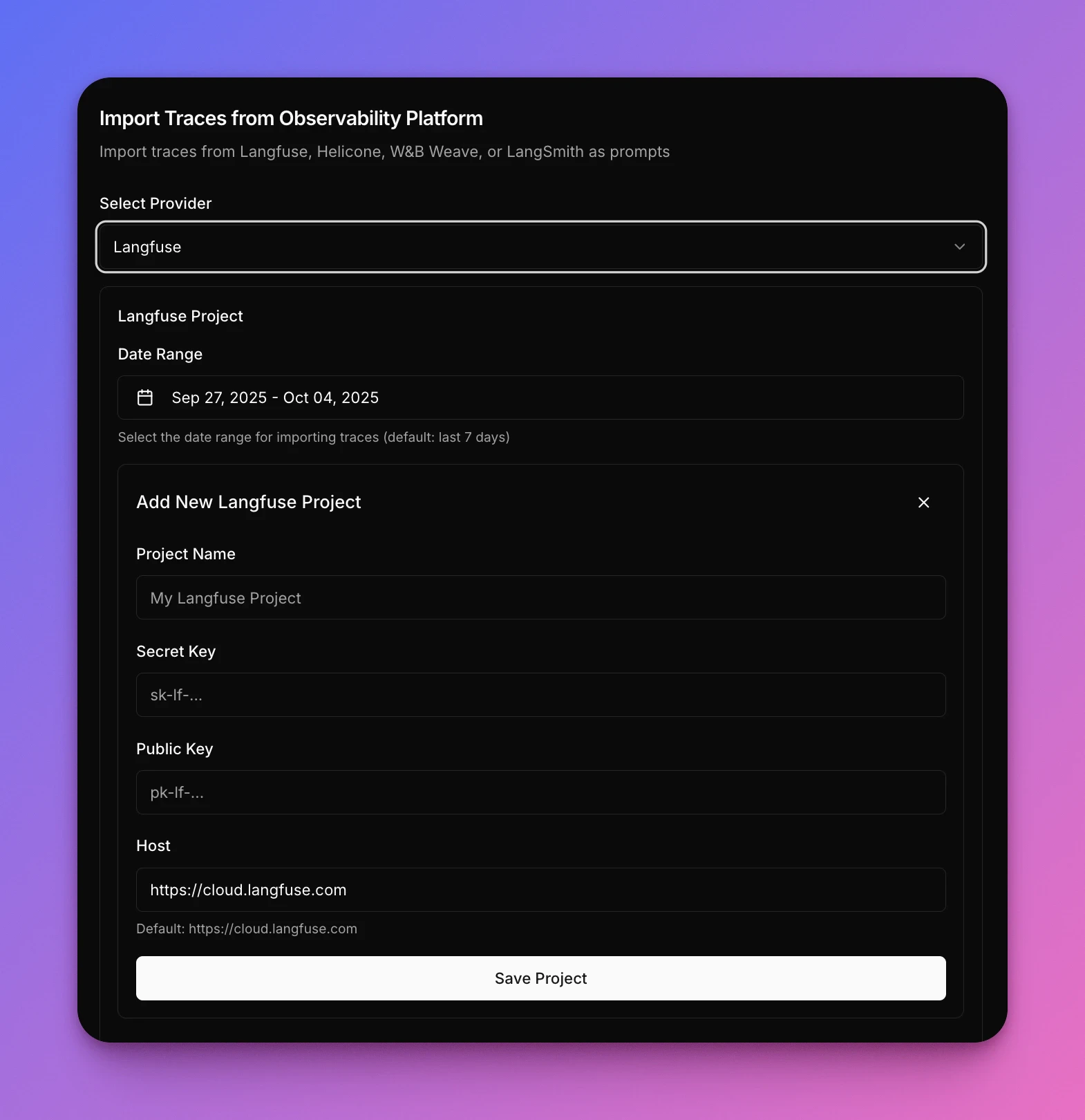
- In the Data Source section select Import from traces
- Select Langfuse as provider
- Enter your credentials:
- Project Name: Your Langfuse project identifier
- Secret Key: Your Langfuse secret key (for example,
sk-lf-<token>) - Public Key: Your Langfuse public key (for example,
pk-lf-<token>) - Host: Your Langfuse instance URL (default:
https://cloud.langfuse.com)
- Select your Date Range (default: last 7 days)
- Click Save Project to import traces
Self-hosted support
Narev supports both Langfuse Cloud and self-hosted instances. When connecting your project, update the Host field to your self-hosted Langfuse URL.Common questions
Do I need to modify my Langfuse setup?
Do I need to modify my Langfuse setup?
No. Narev reads from your existing Langfuse project without any changes to your instrumentation.
Can I test models not in my current Langfuse traces?
Can I test models not in my current Langfuse traces?
Yes. Narev imports prompts and usage patterns from Langfuse, then lets you test any supported model provider on
those same prompts.
Will Narev send data back to Langfuse?
Will Narev send data back to Langfuse?
No. Narev imports traces to run experiments but doesn’t write back to Langfuse.
Does this work with Langfuse trace hierarchy (spans, generations, events)?
Does this work with Langfuse trace hierarchy (spans, generations, events)?
Yes. Narev imports all types of Langfuse operations including nested traces, generations, and individual LLM calls.