

Prerequisites
- An active Helicone account with production traces
- Helicone API key (starts with
sk-helicone-<token>) - Production traces in your Helicone project
Setup
- Create a new A/B test
- Navigate to Setup tab
- In the Data Source section select Import from traces
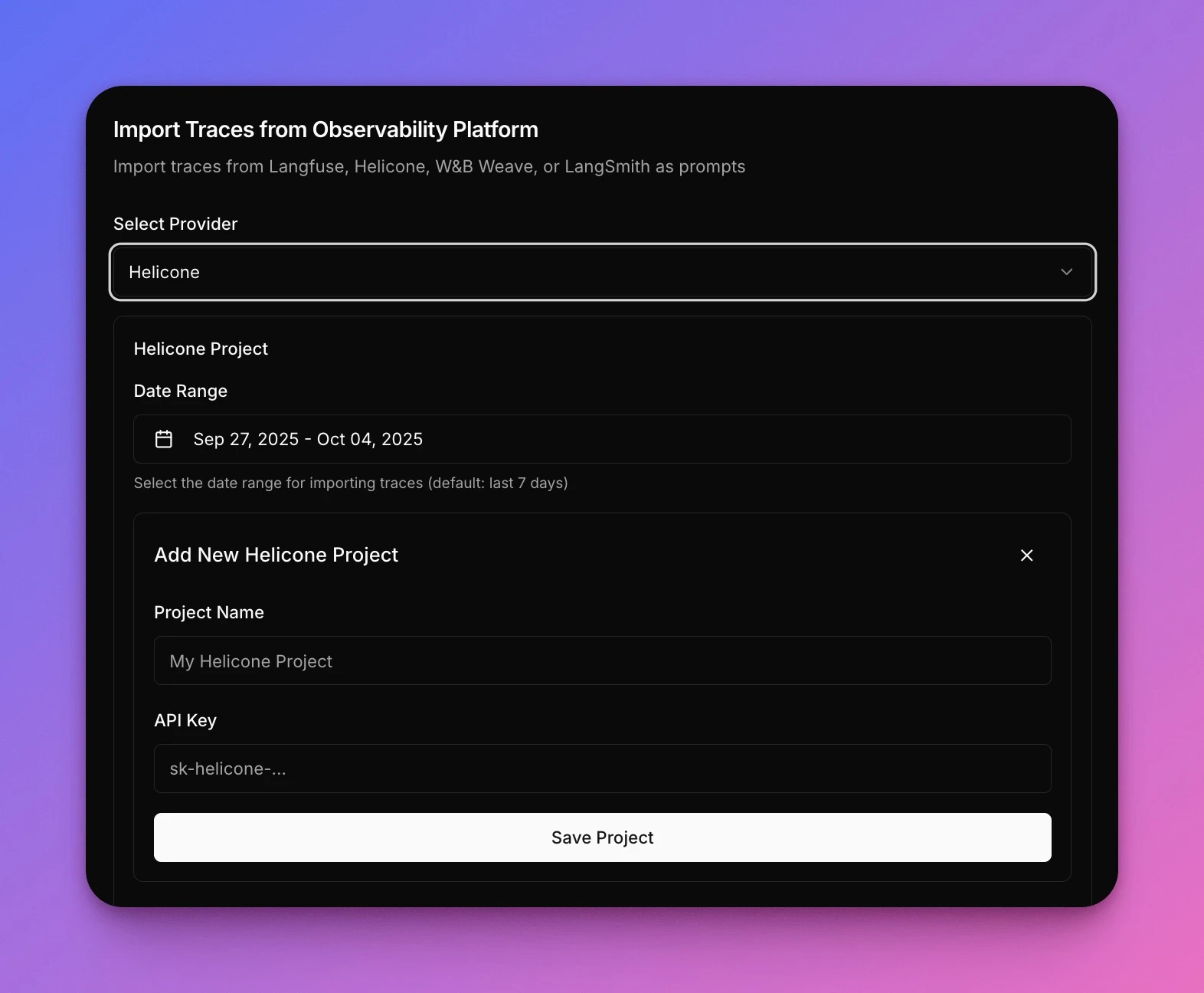
- Select Helicone as provider
- Enter your credentials:
- Project Name: Your Helicone project identifier
- API Key: Your Helicone API key (starts with
sk-helicone-<token>)
- Select your Date Range (default: last 7 days)
- Click Save Project to import traces
Common questions
Do I need to modify my Helicone setup?
Do I need to modify my Helicone setup?
No. Narev reads from your existing Helicone project without any changes to your instrumentation.
Can I test models not in my current Helicone traces?
Can I test models not in my current Helicone traces?
Yes. Narev imports prompts and usage patterns from Helicone, then lets you test any supported model provider on
those same prompts.
Will Narev send data back to Helicone?
Will Narev send data back to Helicone?
No. Narev imports traces to run experiments but doesn’t write back to Helicone.
Does Narev work with Helicone custom properties?
Does Narev work with Helicone custom properties?
Yes. Narev can import traces with custom properties and metadata from Helicone, which lets you optimize specific
traffic segments.
How many traces should I import?
How many traces should I import?
For most use cases, 50-500 traces provide statistically significant results. Start with 7 days of data by default.
For high-variability workloads, import 30 days to capture edge cases.