1
Create the benchmark
Benchmarks and all of their management options are in Narev Cloud -> Benchmarks. After you create a benchmark, the to-do list appears.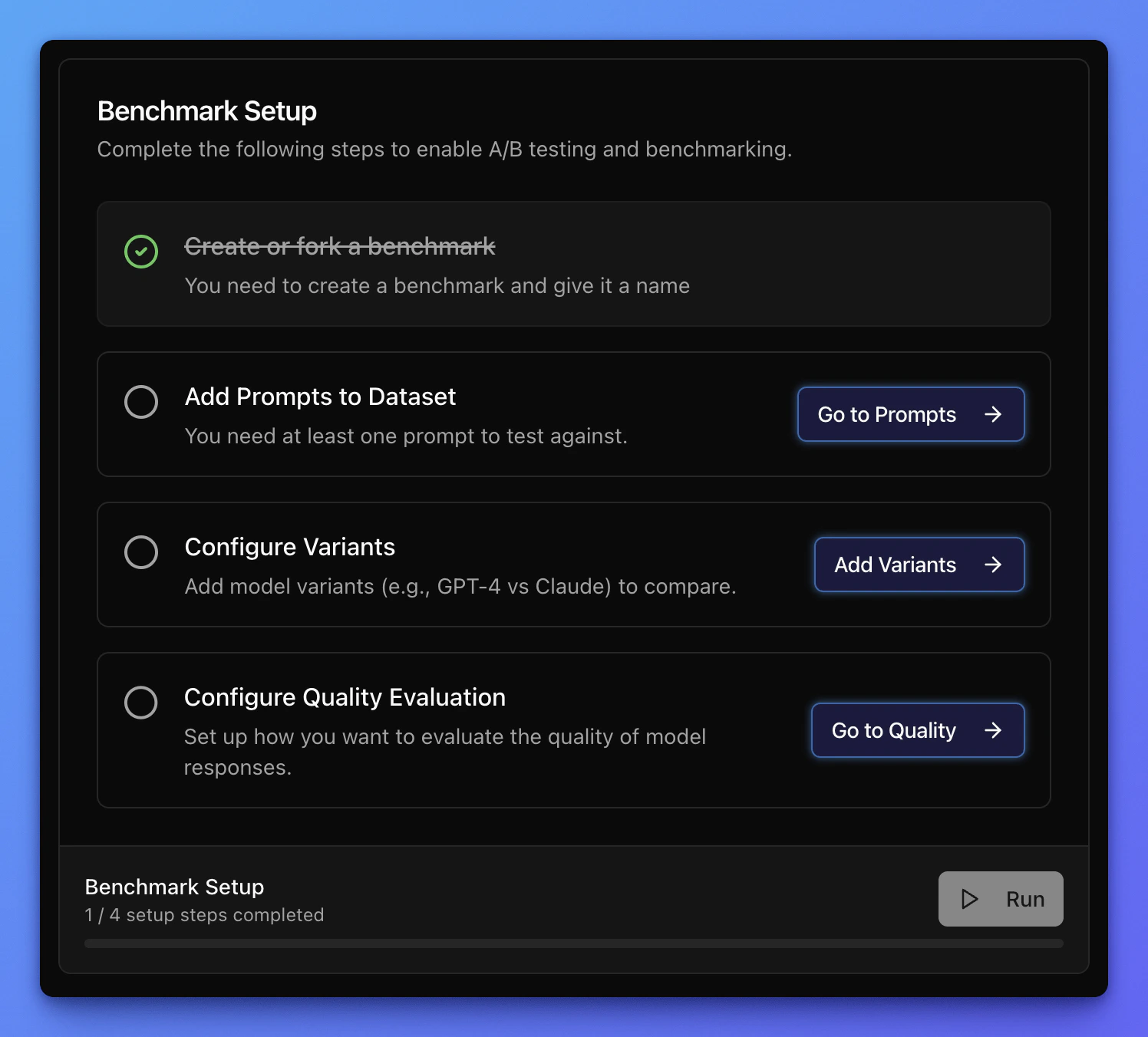
2
Define the data source
There are multiple ways to add a data source to a benchmark, from one-off manual entry to programmatic ingestion through an API endpoint.Each data source has a separate page: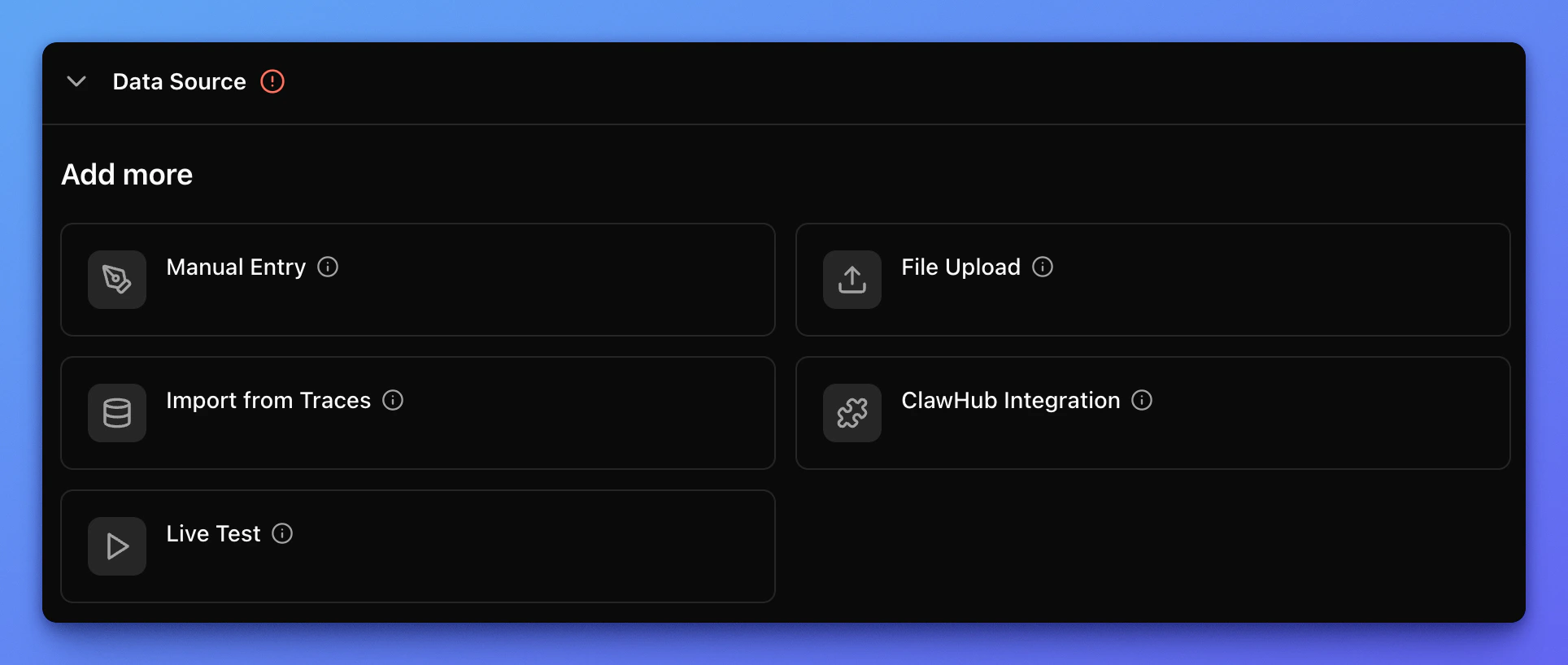
3
Configure variants
To run a benchmark, you need to configure at least one variant. You can select variants with the checkbox marked as 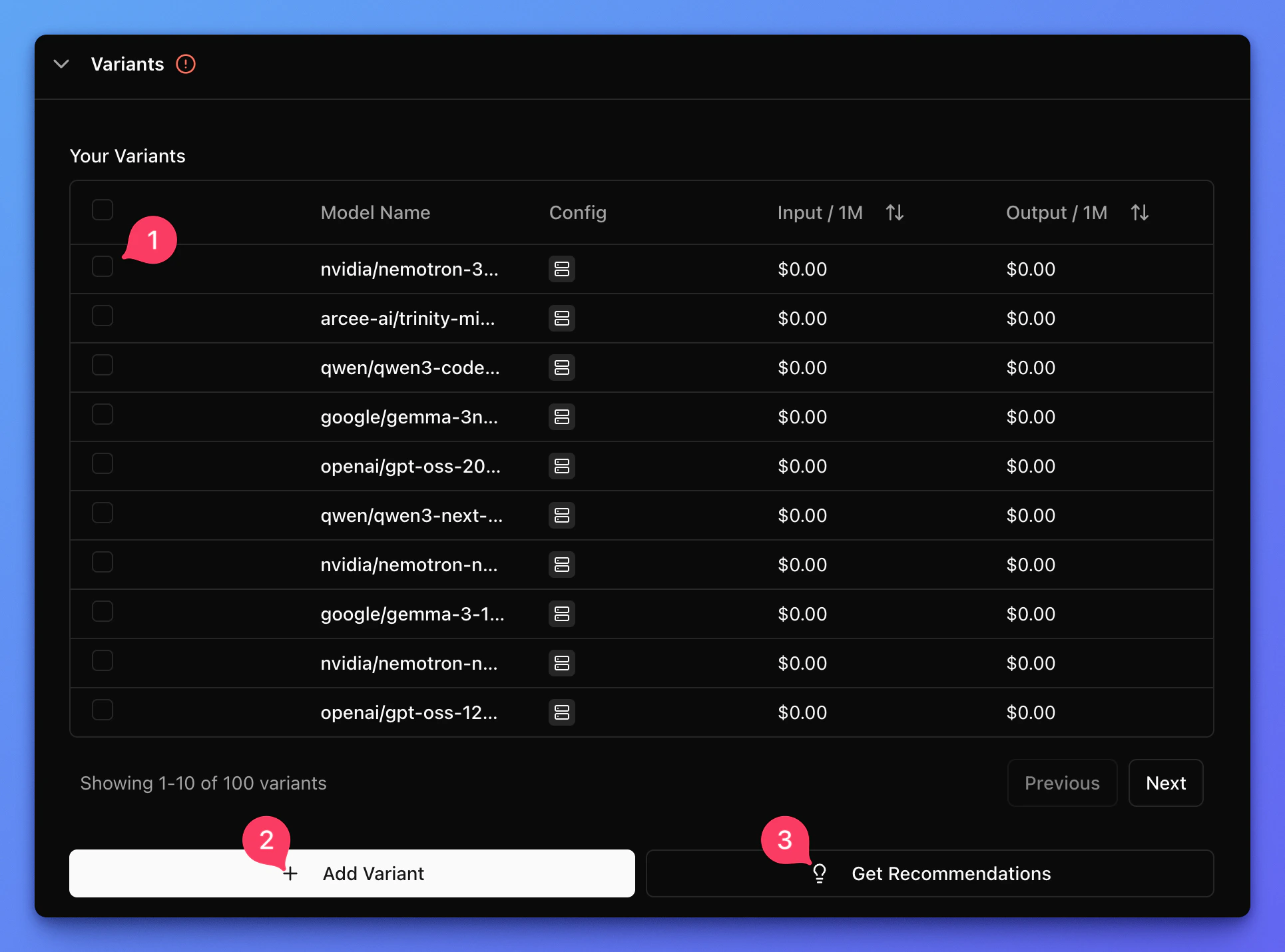
1.2 allows you to create a variant from scratch and 3 gives you recommendation based on the currently selected variants.4
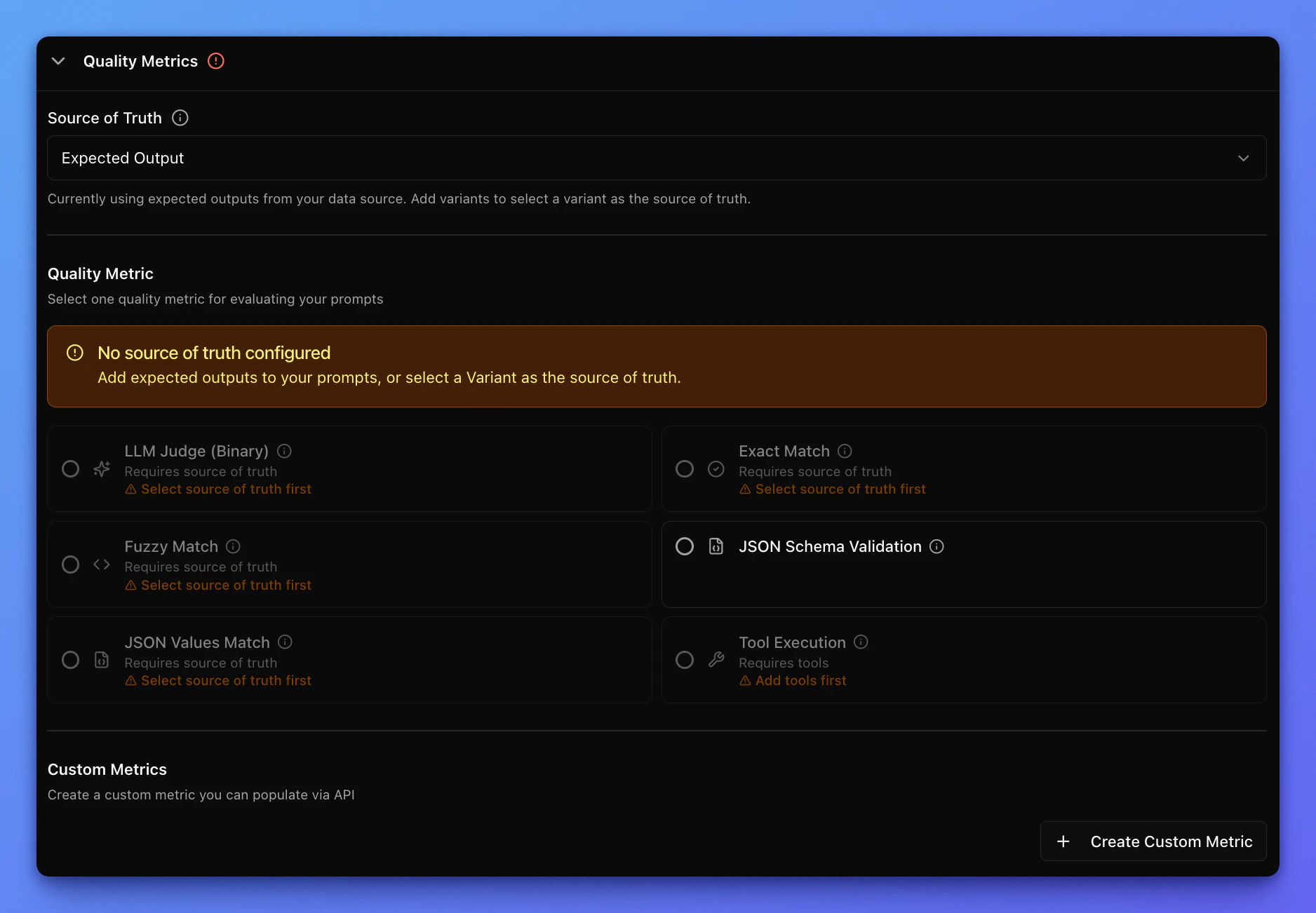
Configure quality evaluation
Each benchmark requires a way to evaluate quality.There are multiple ways to evaluate quality. For concepts, see Quality evaluations.