> ## Documentation Index
> Fetch the complete documentation index at: https://narev.ai/docs/llms.txt
> Use this file to discover all available pages before exploring further.
# Import Helicone traces into a Narev benchmark
> Pull production LLM traces from Helicone into a Narev benchmark dataset so you can evaluate new models against real user prompts and conversations.
Use your production traces as test datasets. Instead of guessing which model works better, test against the prompts
your users are actually sending.
## Prerequisites
* An active Helicone account with production traces
* Helicone API key (starts with `sk-helicone-`)
* Production traces in your Helicone project
## Setup
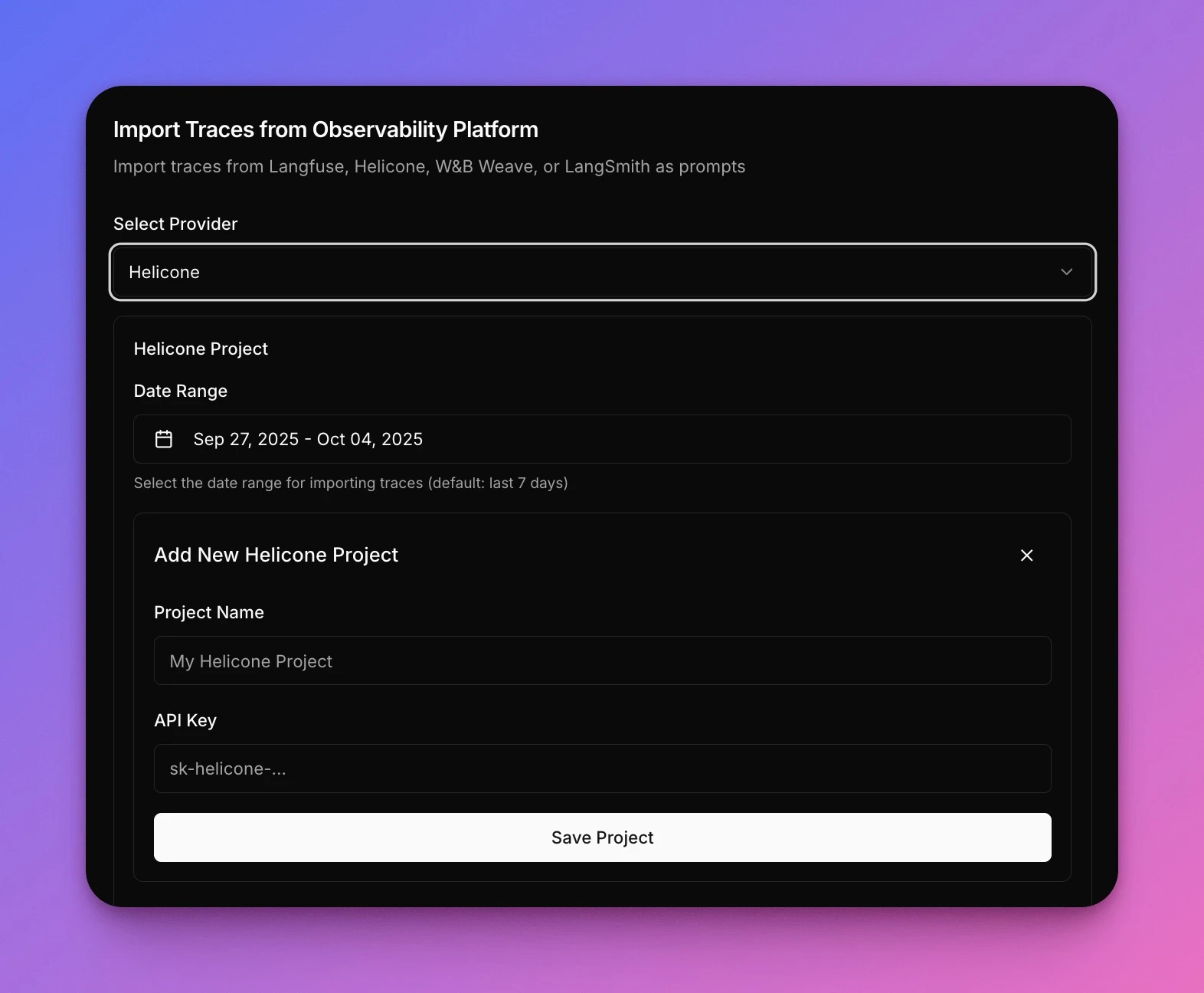
1. Create a new **A/B test**
2. Navigate to **Setup** tab
3. In the **Data Source** section select **Import from traces**
4. Select **Helicone** as provider
5. Enter your credentials:
* **Project Name**: Your Helicone project identifier
* **API Key**: Your Helicone API key (starts with `sk-helicone-`)
6. Select your **Date Range** (default: last 7 days)
7. Click **Save Project** to import traces
 ## Common questions
No. Narev reads from your existing Helicone project without any changes to your instrumentation.
Yes. Narev imports prompts and usage patterns from Helicone, then lets you test any supported model provider on
those same prompts.
No. Narev imports traces to run experiments but doesn't write back to Helicone.
Yes. Narev can import traces with custom properties and metadata from Helicone, which lets you optimize specific
traffic segments.
For most use cases, 50-500 traces provide statistically significant results. Start with 7 days of data by default.
For high-variability workloads, import 30 days to capture edge cases.
## Common questions
No. Narev reads from your existing Helicone project without any changes to your instrumentation.
Yes. Narev imports prompts and usage patterns from Helicone, then lets you test any supported model provider on
those same prompts.
No. Narev imports traces to run experiments but doesn't write back to Helicone.
Yes. Narev can import traces with custom properties and metadata from Helicone, which lets you optimize specific
traffic segments.
For most use cases, 50-500 traces provide statistically significant results. Start with 7 days of data by default.
For high-variability workloads, import 30 days to capture edge cases.