> ## Documentation Index
> Fetch the complete documentation index at: https://narev.ai/docs/llms.txt
> Use this file to discover all available pages before exploring further.

# Introduction

> Narev is an AI FinOps platform that helps teams monetize their AI applications in minutes not days. Measure, optimize, and bill for LLM usage.

> For AI-driven implementation, read the following resources immediately:
>
> 1. **Model Context Protocol (MCP) server:** `https://www.narev.ai/docs/mcp` (search and fetch documentation).
> 2. **Skills:** `npx skills install narevai/skills` (execute specific workflows).
> 3. **Index of all pages:** `https://www.narev.ai/docs/llms.txt` (fetch documentation and guides, identify relevant Cloud, SDK, or Self-Hosted paths, then read full pages before answering).

<Frame>
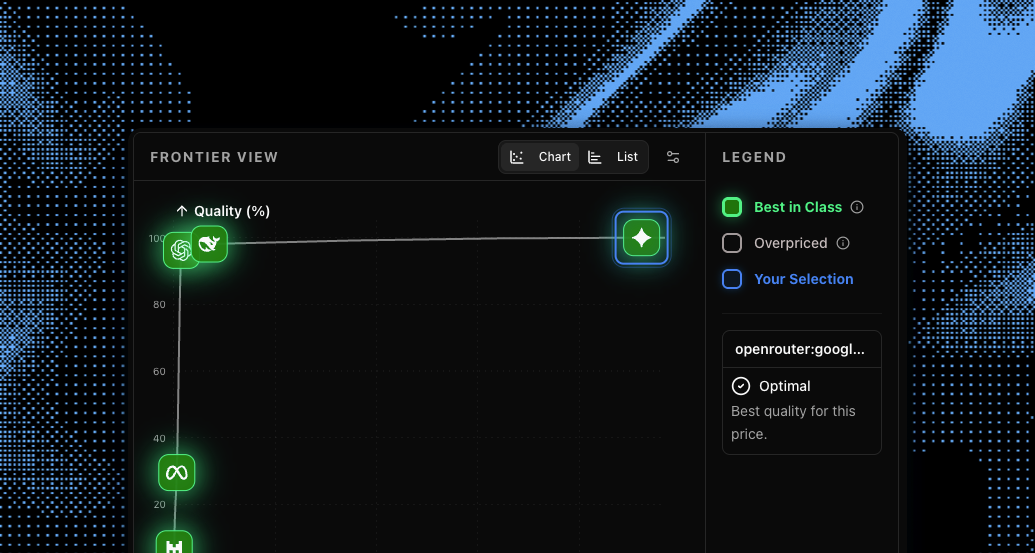
  <img src="https://mintcdn.com/narev/5d-dVsERtsYrWOXW/images/intro.png?fit=max&auto=format&n=5d-dVsERtsYrWOXW&q=85&s=e57715a594b1bcaa2950511c71fc31d2" alt="Narev introduction hero image" width="1035" height="553" data-path="images/intro.png" />
</Frame>

## What's Narev?

Narev is the billing and cost-tracking platform for AI products. Instead of building custom data pipelines to meter LLM usage, drop in the Narev SDK to capture raw tokens and use Narev Cloud to sync invoice-ready data directly to Stripe, Lago, or Polar.sh.

<CardGroup cols={2}>
  <Card title="Usage-based billing" icon="file-invoice">
    Implement true usage-based billing and charge users for exactly what they consume.
  </Card>

  <Card title="Profitability analytics" icon="chart-mixed">
    Gain deep visibility into your unit economics: **cost per user**, **cost per paying user**, **cost per request**.
  </Card>
</CardGroup>

## Problems Narev solves

<AccordionGroup>
  <Accordion title="Billing AI features accurately" icon="coins">
    **The problem:** Model prices change constantly, and providers calculate costs differently across input, output, and cached tokens.

    **The solution:** Narev Cloud syncs live pricing, while the Narev SDK maps raw token usage to normalized dollar amounts you can confidently invoice.
  </Accordion>

  <Accordion title="Connecting your app to your billing platform" icon="plug">
    **The problem:** Moving usage data from an LLM call into Stripe, Lago, or Polar.sh requires custom data pipelines that turn token counts into dollar amounts, manual reconciliation, and brittle webhooks.

    **The solution:** The open-source Narev SDK provides middleware that automatically pushes billable events from your framework directly to your billing provider.
  </Accordion>

  <Accordion title="Bypassing AI gateways" icon="route">
    **The problem:** AI gateways make it easier to connect to providers and estimate your costs, but introduce extra latency, another point of failure, and charge an additional fee layer.

    **The solution:** Narev gives you the primitives to run your own metering pipeline. You own the data, remove the middleman, and keep full control of your profit margins.
  </Accordion>

  <Accordion title="Optimizing AI unit economics" icon="chart-line">
    **The problem:** Without precise cost tracking, you can't tell if a specific customer or prompt change is destroying your profit margins.

    **The solution:** Narev attributes exact Cost of Goods Sold (COGS) to specific users via Customer Tagging, letting you optimize based on real dollar impact.
  </Accordion>
</AccordionGroup>

## Core features

Focus on building your product while we handle the complexity of AI monetization and cost management.

<CardGroup cols={3}>
  <Card title="Prebuilt UI components" icon="layer-group">
    Add billing and usage dashboards directly to your app in minutes with drop-in React components.
  </Card>

  <Card title="Managed usage-based billing" icon="file-invoice-dollar">
    Let us handle the heavy lifting of syncing metered usage data directly to Stripe and Polar.sh.
  </Card>

  <Card title="Margin improvement tools" icon="chart-line">
    Evaluate prompts across models with built-in benchmarking to optimize unit economics and protect profits.
  </Card>
</CardGroup>

## Quick start guide

Start with usage-based billing so you can measure usage and bill customers correctly from day one.

<Steps>
  <Step title="Get your API keys">
    Create a free Narev Cloud account to get your `NAREV_API_KEY`. You will also need credentials for your billing provider (like a Polar access token or Stripe secret key) to sync usage.
  </Step>

  <Step title="Install the packages">
    Install the core billing package along with your preferred billing provider and Next.js UI components.

    <CodeGroup>
      ```bash npm theme={null}
      npm install @ai-billing/core @ai-billing/polar @ai-billing/nextjs
      ```

      ```bash pnpm theme={null}
      pnpm add @ai-billing/core @ai-billing/polar @ai-billing/nextjs
      ```

      ```bash yarn theme={null}
      yarn add @ai-billing/core @ai-billing/polar @ai-billing/nextjs
      ```

      ```bash bun theme={null}
      bun add @ai-billing/core @ai-billing/polar @ai-billing/nextjs
      ```
    </CodeGroup>
  </Step>

  <Step title="Add the backend middleware">
    Use the `wrapLanguageModel` function from the Vercel AI SDK to attach the billing middleware to your model. This automatically tracks token usage and sends it to your billing provider.

    <Tabs>
      <Tab title="Next.js" icon="triangle">
        ```typescript backend.ts highlight={2-3, 6, 8 } theme={null}
        import { wrapLanguageModel, openai } from 'ai';
        import { createOpenAIV3Middleware } from '@ai-billing/openai';
        import { createPolarDestination } from '@ai-billing/polar';

        // 1. Configure where the billing events should be sent
        const billingMiddleware = createOpenAIV3Middleware({
          destinations: [
            createPolarDestination({
              accessToken: process.env.POLAR_ACCESS_TOKEN,
              eventName: 'llm_usage',
            })
          ]
        });

        // 2. Wrap your model to automatically meter all generations
        export const billedModel = wrapLanguageModel({
          model: openai('gpt-4o'),
          middleware: billingMiddleware
        });
        ```
      </Tab>
    </Tabs>
  </Step>

  <Step title="Use the model in your API route">
    Pass the wrapped model into Vercel's `streamText`. Use `providerOptions` to pass the user's ID so the billing destination knows who to charge.

    <Tabs>
      <Tab title="Next.js" icon="triangle">
        ```typescript app/api/chat/route.ts highlight={2, 13-15} theme={null}
        import { streamText } from 'ai';
        import { billedModel } from '@/lib/billing';
        export async function POST(req: Request) {
          const { messages } = await req.json();
          
          // Get the authenticated user ID (e.g., from your auth provider)
          const userId = 'user_123'; 
          const result = streamText({
            model: billedModel,
            messages,
            providerOptions: {
              // These tags are automatically forwarded to your billing destination
              'ai-billing-tags': {
                userId: userId,
              },
            },
          });
          return result.toDataStreamResponse();
        }
        ```
      </Tab>
    </Tabs>
  </Step>

  <Step title="Add the Pre-build billing components">
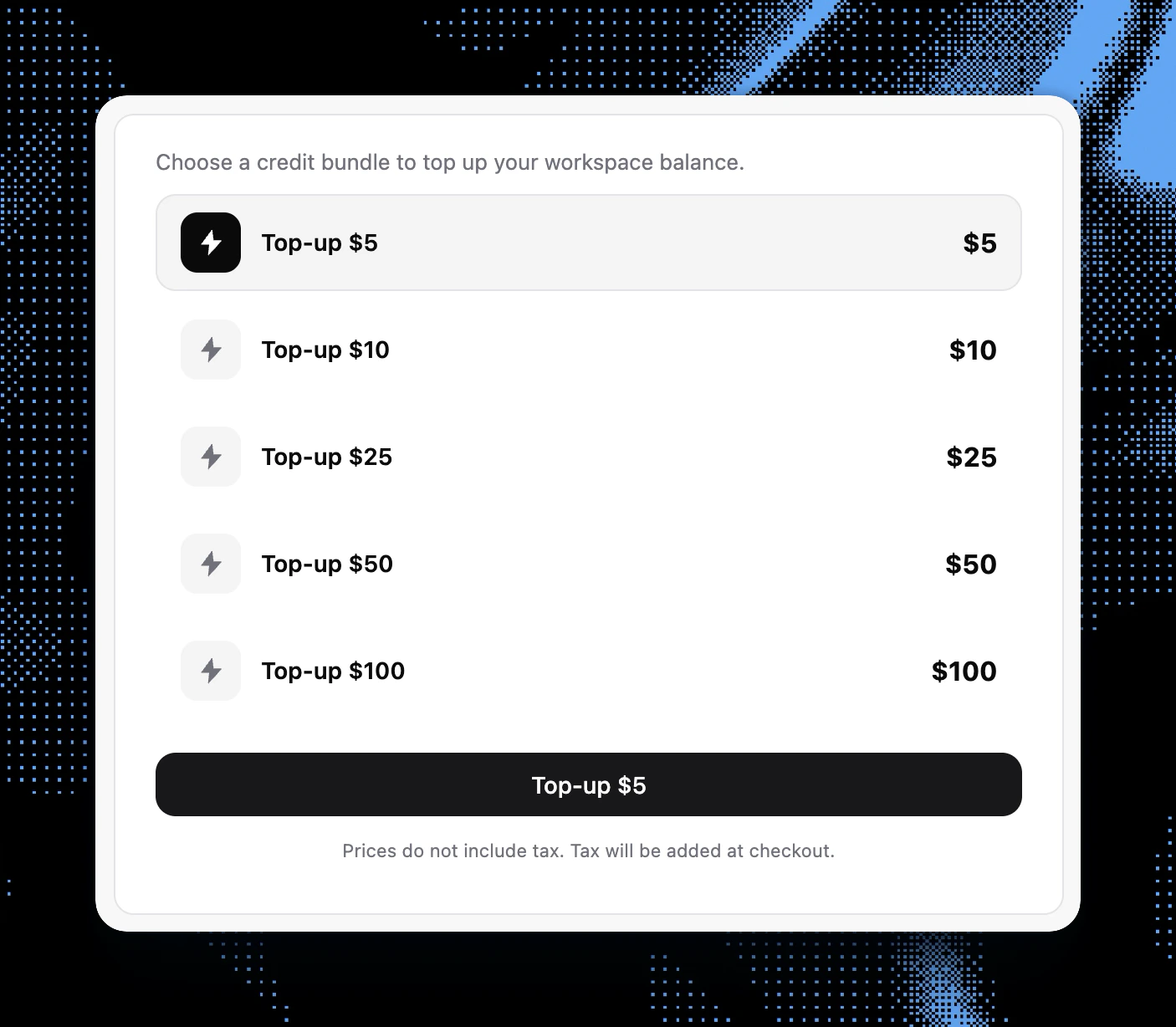
    Embed the prebuilt React components in your Next.js frontend to show users their real-time usage and provide a native checkout experience for buying credits.

    <Tabs>
      <Tab title="Next.js" icon="triangle">
        ```tsx components/usage-dashboard.tsx highlight={1, 9, 12} theme={null}
        import { CreditUsagePolar, CreditTopUpPolar } from '@ai-billing/nextjs';

        export default function BillingDashboard({ userId }: { userId: string }) {
          return (
            <div className="flex flex-col gap-6 p-4">
              <h2 className="text-xl font-semibold">Usage & Billing</h2>
              
              {/* Shows current consumption and remaining budget/credits */}
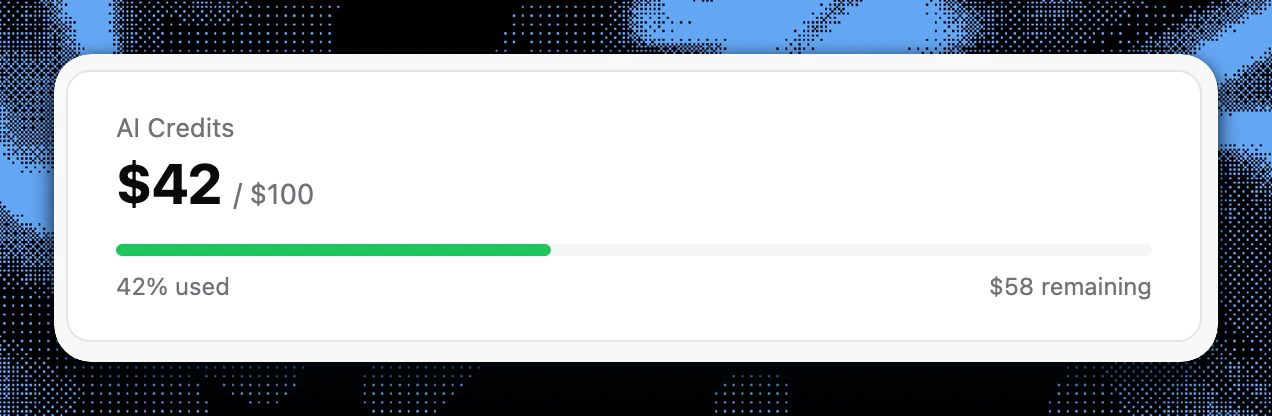
              <CreditUsagePolar userId={userId} />
              
              {/* Renders a checkout component to buy more credits */}
              <CreditTopUpPolar userId={userId} />
            </div>
          );
        }
        ```
      </Tab>
    </Tabs>
  </Step>

  <Step title="Voila! You're ready to bill">
    Your application is now fully equipped with AI monetization, cost tracking, and a self-serve top-up dashboard.

    <Frame>
      <img src="https://mintcdn.com/narev/vk3N1vAMCBfZgm44/images/intro-billing-usage.png?fit=max&auto=format&n=vk3N1vAMCBfZgm44&q=85&s=79bf69c15ef6d90c646b7490898093c2" alt="Billing dashboard using Narev prebuild components showing real-time usage" width="1272" height="416" data-path="images/intro-billing-usage.png" />
    </Frame>

    <Frame>
      <img src="https://mintcdn.com/narev/vk3N1vAMCBfZgm44/images/intro-billing-topup.png?fit=max&auto=format&n=vk3N1vAMCBfZgm44&q=85&s=86fedfaa3e921f741ccef23b090deb75" alt="Billing dashboard using Narev prebuild components showing top-up options" width="1406" height="1228" data-path="images/intro-billing-topup.png" />
    </Frame>
  </Step>
</Steps>

## Why choose Narev?

<Tabs>
  <Tab title="Individual Developers">
    <CardGroup cols={2}>
      <Card title="Launch with usage billing from day one" icon="rocket">
        Instrument requests with the Narev SDK so you can meter and bill without building custom pipelines.
      </Card>

      <Card title="Integrate with your existing stack" icon="plug">
        Connect Narev Cloud to Stripe, Lago, or Polar.sh and keep your current billing workflow.
      </Card>

      <Card title="Improve model efficiency quickly" icon="gauge">
        Benchmark your real prompts, then route traffic to lower-cost model variants with quality safeguards.
      </Card>

      <Card title="See true AI unit economics" icon="piggy-bank">
        Track AI spend and COGS with normalized usage data so you can price features with confidence.
      </Card>
    </CardGroup>
  </Tab>

  <Tab title="Small Teams">
    <CardGroup cols={2}>
      <Card title="Reduce engineering overhead" icon="wrench">
        Use Narev Cloud and Narev SDK to replace custom scripts and manual reconciliation.
      </Card>

      <Card title="Unify billing and cost attribution" icon="chart-line">
        Combine provider costs with Customer Tagging so every request maps to the right tenant or account.
      </Card>

      <Card title="Collaborate across engineering and finance" icon="users">
        Share one source of truth for usage, spend, and billable events across your team.
      </Card>

      <Card title="Support multiple frameworks" icon="code">
        Integrate with Next.js, Nuxt, SvelteKit, and other supported environments without changing product logic.
      </Card>
    </CardGroup>
  </Tab>

  <Tab title="Growing Businesses">
    <CardGroup cols={2}>
      <Card title="Scale across products and teams" icon="building">
        Standardize usage-based billing patterns across services while keeping implementation consistent.
      </Card>

      <Card title="Use APIs for full control" icon="code">
        Automate metering and billing workflows programmatically through integration-ready endpoints.
      </Card>

      <Card title="Deploy with your infrastructure model" icon="server">
        Run on Narev Cloud or extend with Narev Self-Hosted when you need deeper infrastructure cost mapping.
      </Card>
    </CardGroup>
  </Tab>
</Tabs>

## Open source

We build in the open. Our core billing primitives are open-source and free to self-host, giving you the flexibility to choose the right deployment model for your workload.

<CardGroup cols={2}>
  <Card title="narevai/ai-billing" icon="code" href="/sdk/index">
    Open-source middleware to easily add usage-based billing to your AI applications.
  </Card>

  <Card title="narevai/thin-ops" icon="server" href="/oss/thinops/index">
    Self-hosted finops platform for tracking and mapping your infrastructure costs.
  </Card>
</CardGroup>

## Ready to start?

<CardGroup cols={2}>
  <Card title="Create Account" icon="user-plus" href="https://www.narev.ai/login">
    **Free sign-up, no credit card required**

    Get started in under 2 minutes
  </Card>

  <Card title="Quickstart Guide" icon="bolt" href="/quickstart">
    **Start billing AI usage**

    Connect a Vercel AI SDK app to Narev Cloud
  </Card>

  <Card title="Read the Guides" icon="book" href="/guides">
    **Framework-specific tutorials**

    Step-by-step integration guides
  </Card>

  <Card title="Join Our Community" icon="discord" href="https://discord.gg/eAFaCwmEEy">
    **Get help from the Narev team**

    Active community and support
  </Card>
</CardGroup>